
Technical drawings
from 3D models.
Import a STEP file. Project orthographic views. Annotate with dimensions. Export to SVG, PDF, or DXF.
Works with STEP files from
Own it forever.
One payment. Perpetual license. No subscription, no seat fees, no expiry. Your purchase includes 12 months of updates - after that, keep using what you have or renew for another year.
Everything you need.
STEP Import
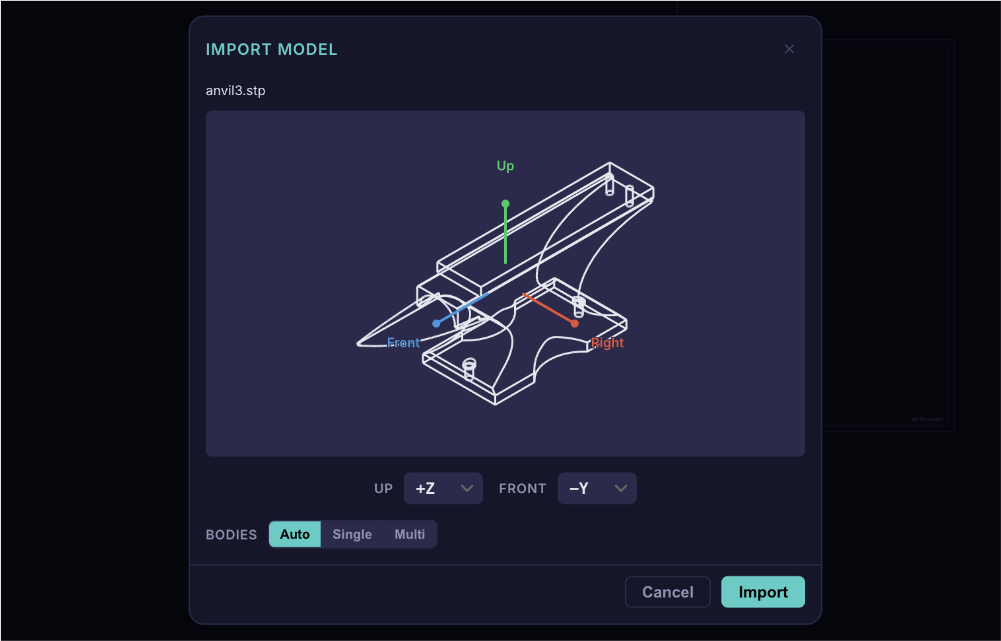
Multi-body assemblies with per-part view control, automatic part detection, and proper HLR occlusion between bodies.
Orthographic & Iso Views
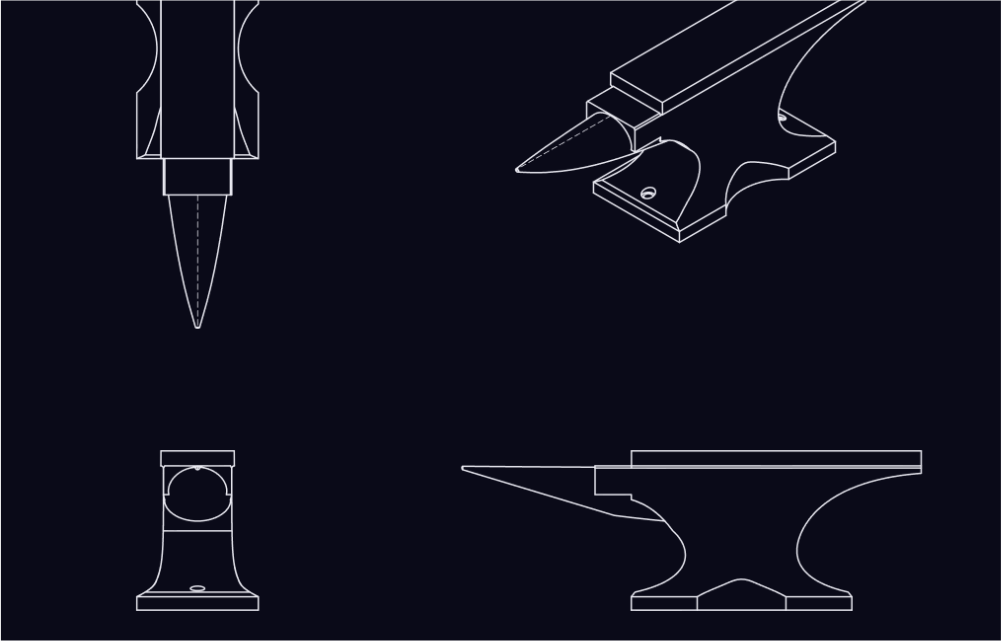
Project standard views automatically. Place adjacent views interactively with axis-snapping alignment guides.
Section Views
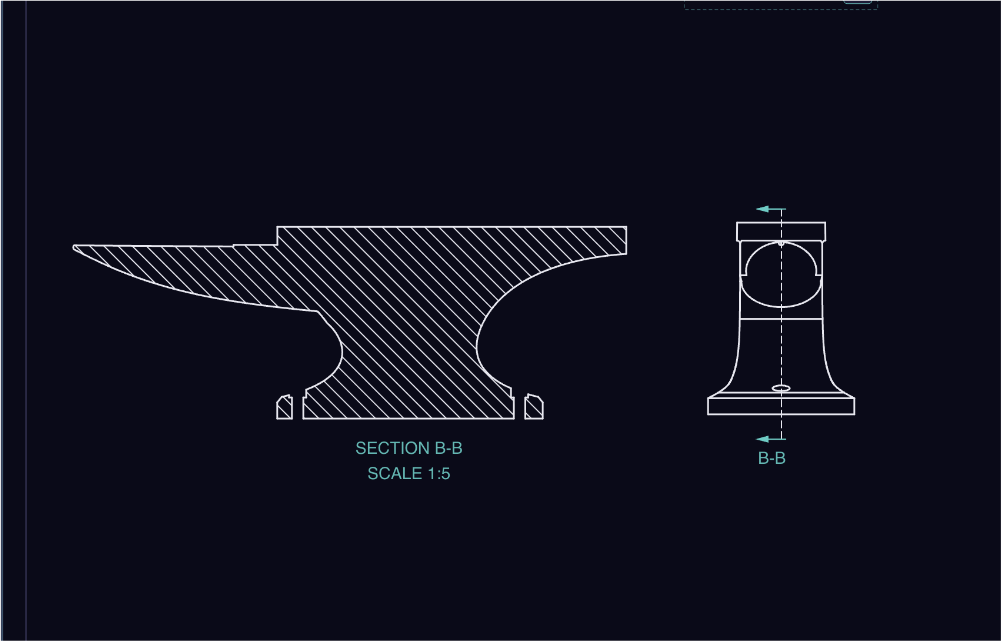
Cut through geometry to reveal internals. Generates cross-section hatching and annotations with correct occlusion.
Detail Views
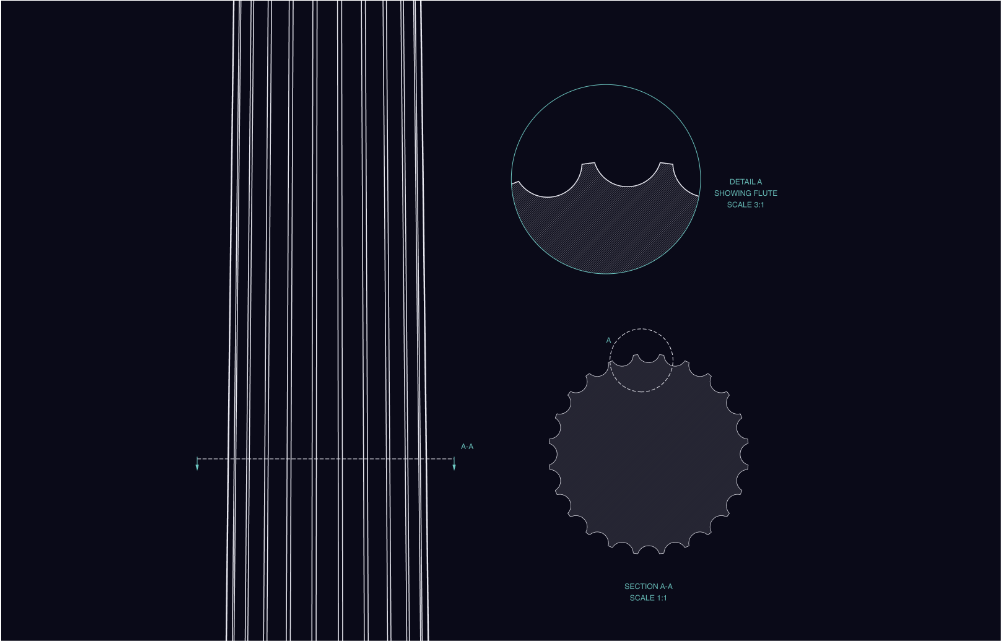
Magnify any region with a callout bubble, automatic scale label, and sequential lettering.
Dimensions
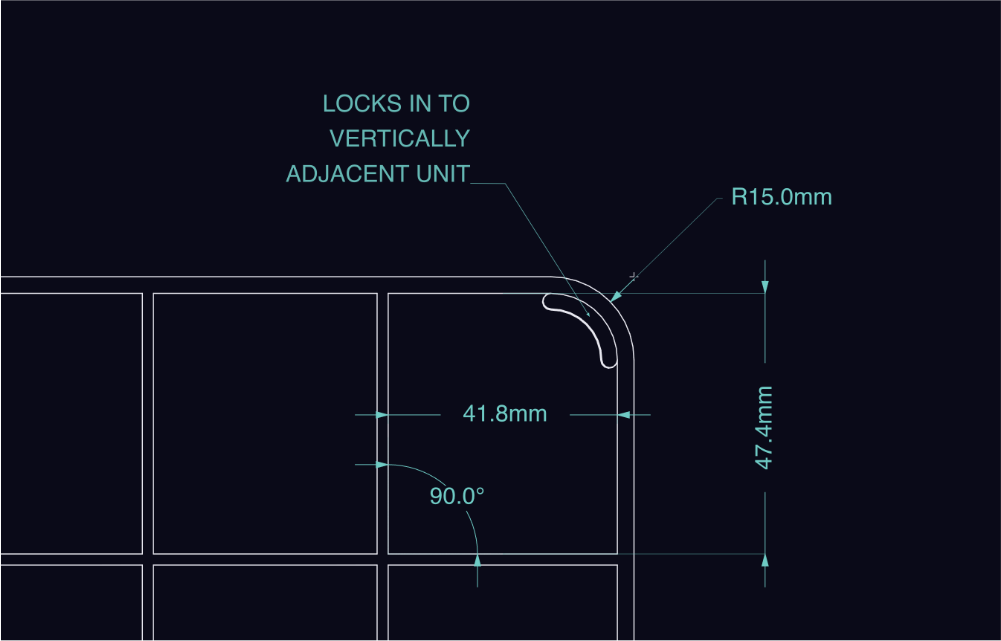
Linear, angular, radial, and diameter. Full unit support, text templates, precision overrides, and variable substitution.
Reference Geometry
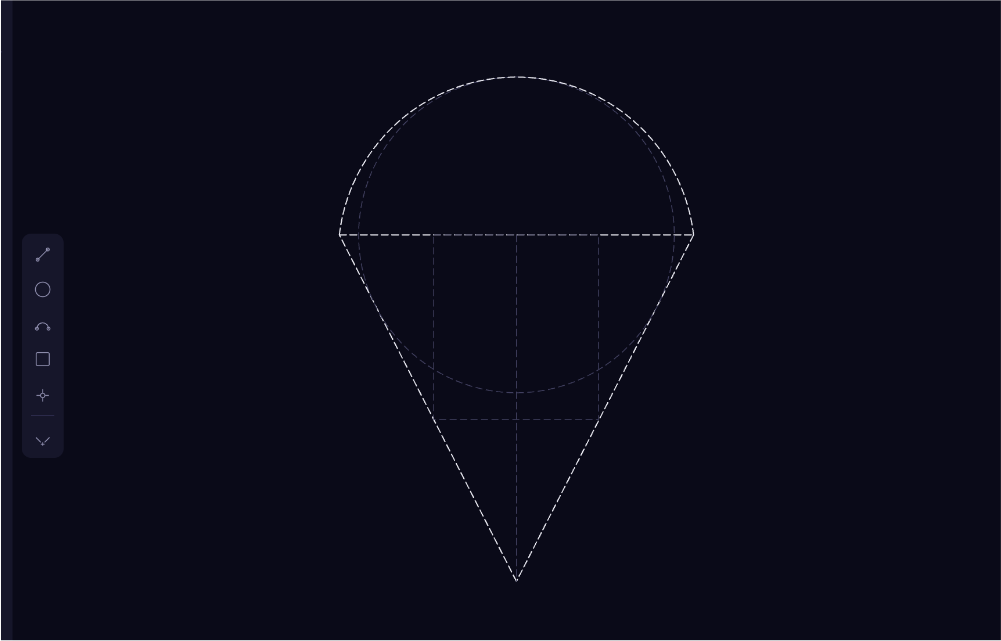
Lines, circles, arcs, rectangles, and points - as centerlines, reference markers, or dimension anchors with precision snapping.
Named Styles
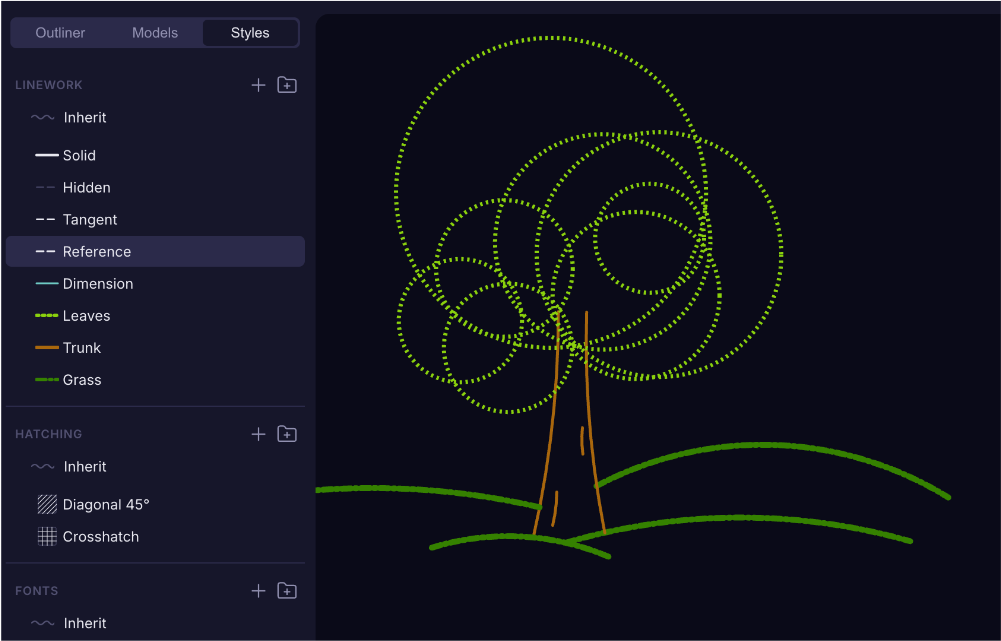
Reusable line styles, hatch patterns, and font styles. Apply globally or per-element with inline overrides.
Sheet Templates
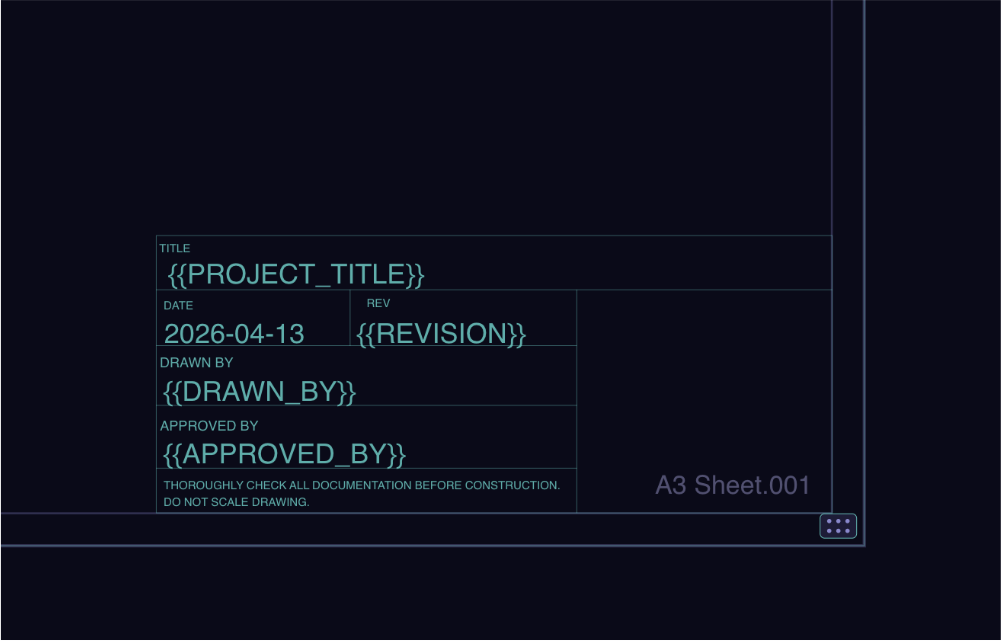
Title blocks with per-sheet and per-project variables. Standard ISO and ANSI paper sizes in portrait and landscape.
SVG, PDF & DXF Export
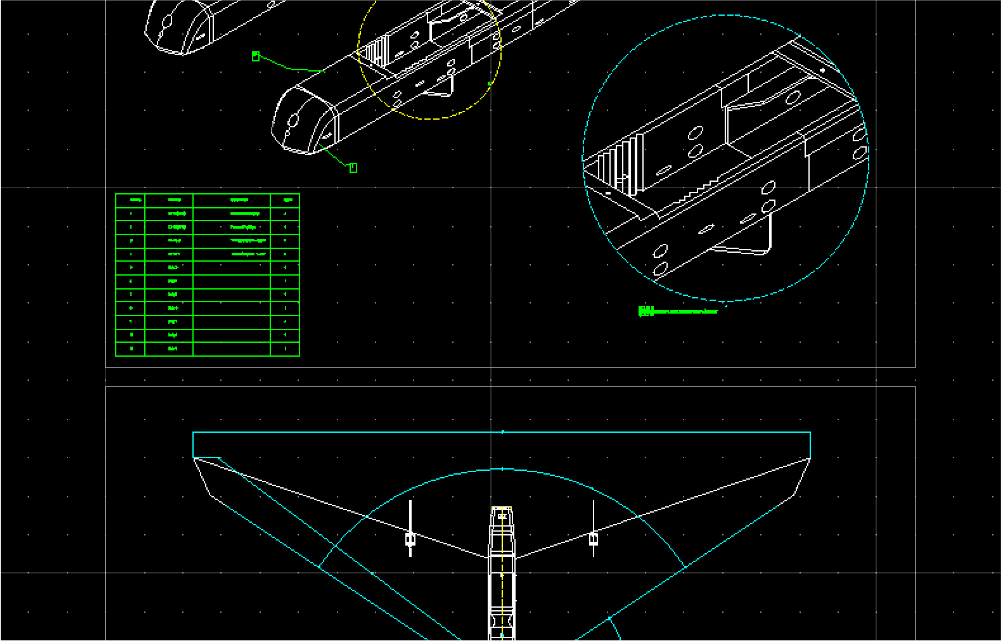
Clean vector output at any scale. DXF includes proper layer separation for downstream CAD/CAM workflows.
Assembly Support
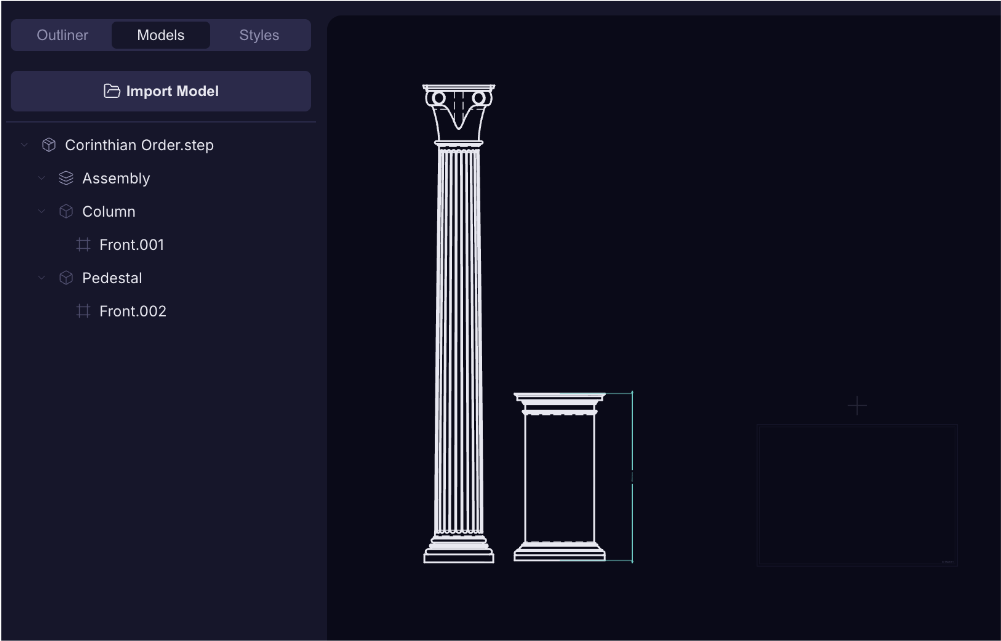
Import multi-part STEP files as full assemblies. Project individual parts or the whole assembly, and hide parts per-view to declutter complex drawings.
Multi-Sheet Canvas
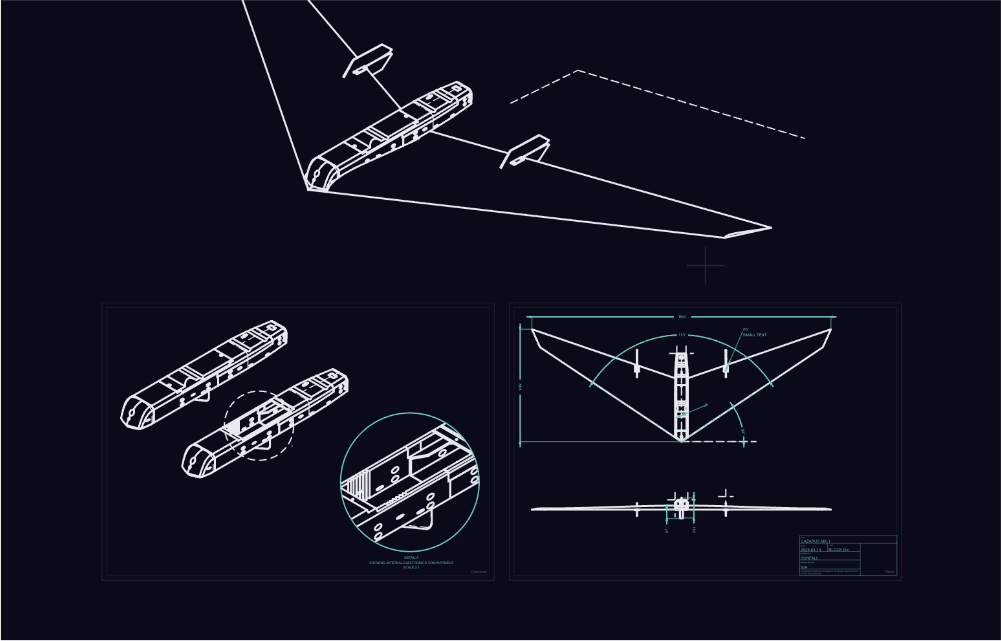
Work across multiple named sheets or a boundless canvas. Apply templates and variables per-sheet.
Bill of Materials
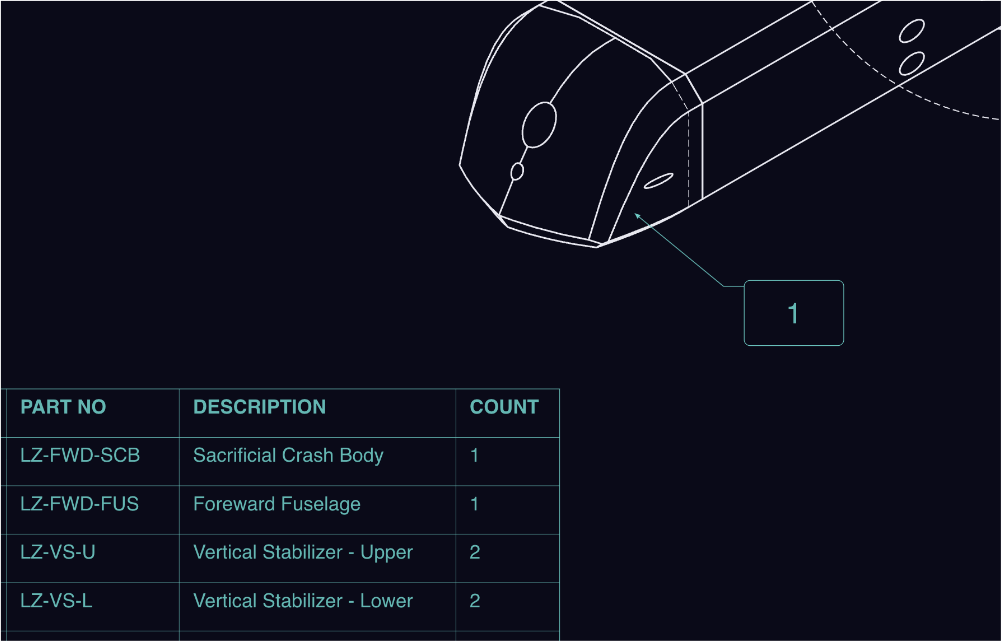
Auto-generate a basic BOM from your assembly tree. Place tables on any sheet with editable rows, columns, and per-cell formatting.
Drawing Standards
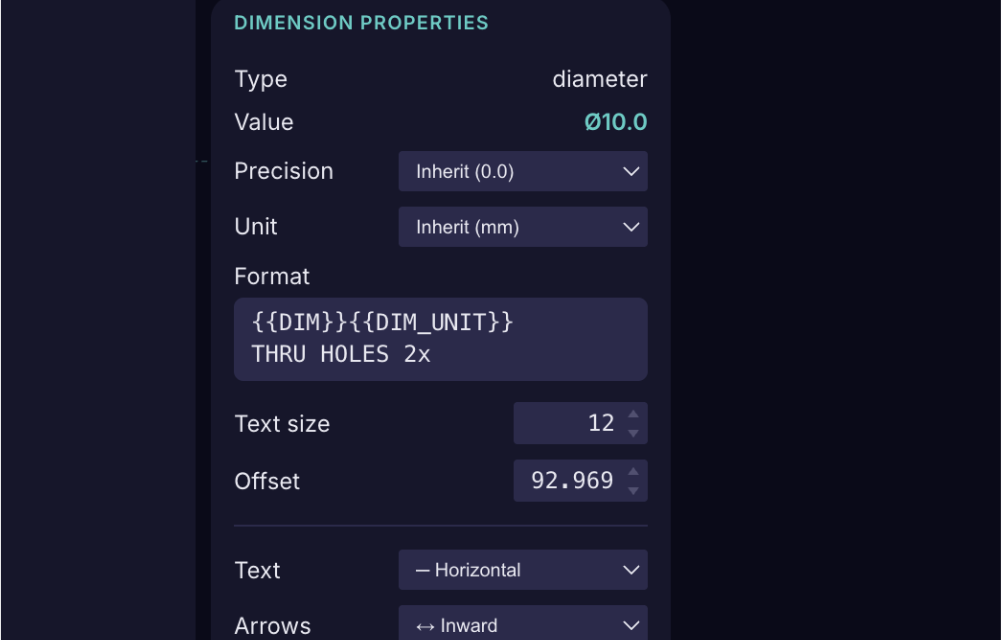
Set units, precision, projection angle, and dimension templates per-project - or set global defaults.
Modern, Themeable UI
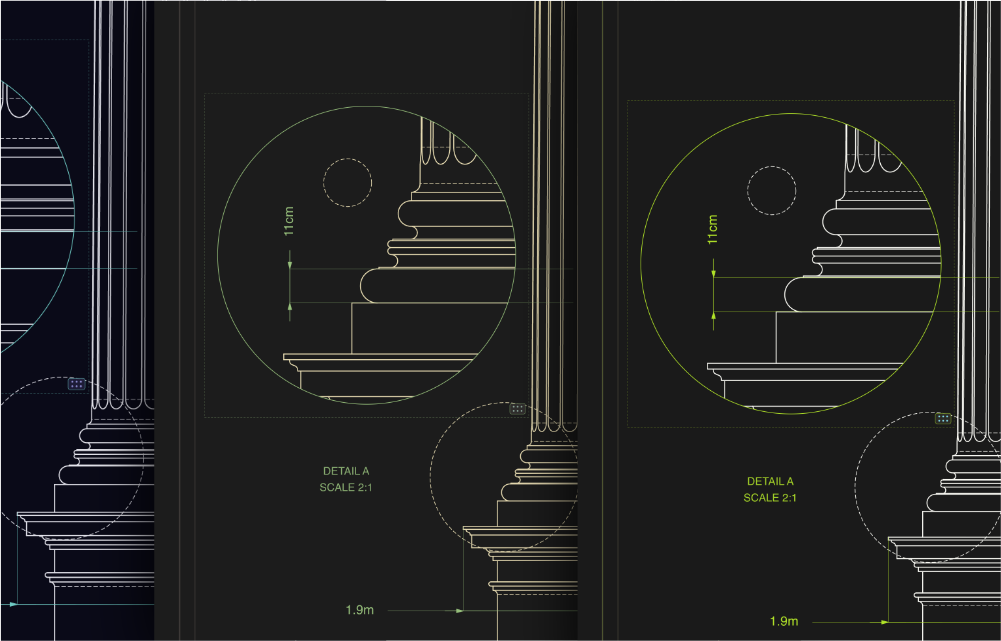
Modern hotkey-focused UX with a variety of built in themes.
Simple pricing.
Early access price.
A perpetual license. Pay once, own it outright, use it forever.
- Every feature, no restrictions
- SVG, PDF & DXF export
- macOS, Windows & Linux
- 12 months of updates
- Use on up to 4 devices
By purchasing you agree to the Terms of Service. See our Refund Policy.
Not ready? Try free for 30 days - no credit card required.
Own Temper? Renew.